
If you own crypto in the UK, one decision matters more than which coin you buy. Where do you keep it? A hot wallet lives on your phone or computer and stays connected to the internet. A cold wallet is a small hardware device that keeps your keys offline. Both hold the same coins. The difference is how exposed your keys are, and how much effort it takes to spend.
This guide gives you a simple decision rule, based on how much you hold and how long you plan to keep it. It also covers current UK prices, how to buy a hardware wallet without getting a tampered one, and how to set it up safely with a test transfer.
This article is for general information only. It is not financial advice. Crypto is volatile, and you should never spend more than you can afford to lose.
The short answer: a decision rule by amount and holding time
Start with two questions. How much crypto do you hold, in pounds? And how long do you plan to leave it alone?
If the answer is a small amount, under about 250 pounds, and you use it often, a hot wallet is fine. A free phone wallet is quick, and the amount at risk is small. Back up your seed phrase properly, and you have done the main job.
If the answer is a larger amount, over about 500 pounds, and you plan to hold it for months or years, buy a cold wallet. A hardware device costs 49 pounds at the cheapest end. That is a small price for keeping the keys to a larger holding offline.
Between 250 and 500 pounds, split the difference. Keep a small spending amount in a hot wallet, and move the rest to a cold wallet. Most people end up with this mix, and it works well.
The rule is about risk, not about being advanced. A beginner with 1,000 pounds in Bitcoin has more to protect than an expert with 50 pounds in a test wallet. Match the security to the amount, not to your experience level.
One more point. Neither wallet is covered by the Financial Services Compensation Scheme. The FSCS protects some regulated investments up to 85,000 pounds, but cryptoassets are not covered, whether they sit on an exchange, in a hot wallet, or on a hardware device. A cold wallet protects you from hackers, not from price falls, and not from losing your seed phrase.
What a hot wallet is
A hot wallet is software that runs on a device connected to the internet. It can be a phone app, a browser extension, or a desktop program. Popular examples are MetaMask, Trust Wallet, Coinbase Wallet, and Phantom. Most are free to download.
Your private keys live on that device, encrypted, inside the app. When you send crypto, the app signs the transaction on the same device that is online. That is what makes it hot. The keys are never far from the internet.
Hot wallets are built for use. You can swap tokens, connect to apps, buy an NFT, or send coins to a friend in seconds. That convenience is the point, and it is also the risk. Malware, a fake app, a phishing link, or a stolen phone can all reach the keys, because the device is online.
A hot wallet is the right tool for money you use. It is the wrong tool for money you want to forget about for a year. Think of it like the cash in your pocket. Fine for spending, wrong for your savings.
If you use a hot wallet, two habits matter most. First, download it only from the official source, the App Store, Google Play, or the maker’s own website. Fake wallet apps are one of the most common crypto scams in the UK. Second, write down your seed phrase on paper and store it somewhere safe. Never photograph it, never email it to yourself, and never store it in a cloud note. Anyone who sees those words can take everything in the wallet.
Our crypto wallets guide compares the main hot and cold wallets in more detail, including which coins each one supports.
What a cold wallet is
A cold wallet is a physical device that stores your private keys offline. The best known makers are Ledger and Trezor. You plug the device into your computer or connect it by Bluetooth, and you approve each transaction on the device itself, by pressing its buttons or tapping its screen.
The key point is that the private keys never leave the device. When you send crypto, the transaction is signed inside the device, and only the signed result goes back to your computer. Even if your computer is full of malware, the keys stay inside the hardware.
That is why a cold wallet is safer than a hot wallet for long term storage. An attacker would need the physical device and your PIN. A remote hacker cannot reach keys that are never online.
A cold wallet does not hold your coins. Your coins live on the blockchain, as they always do. The device holds the keys that prove you own them. If you lose the device, you can buy a new one and restore everything from your seed phrase. If you lose the seed phrase, the coins are gone, even if the device still works.
Cold wallets cost money, and they add a step to every transaction. You have to find the device, plug it in, and approve on its screen. That friction is a feature for savings, and an annoyance for spending money. It is the reason most people keep both types.
A device with no internet connection at all, even during setup, is sometimes called air gapped. Most modern hardware wallets connect briefly to sign a transaction, then go offline again. Either way, the keys stay inside the device.
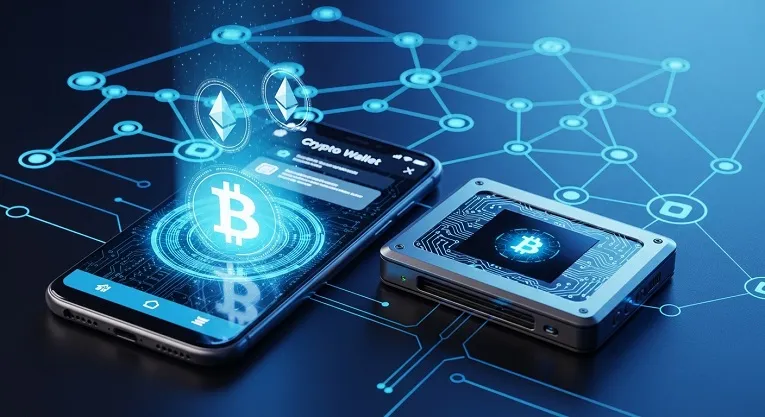
The comparison table
| Hot wallet | Cold wallet | |
|---|---|---|
| What it is | Software on your phone or computer | A physical hardware device |
| Internet connection | Always online | Offline, connects only to sign |
| Where the keys live | On your device, encrypted | Inside the device, never leave it |
| Cost | Usually free | 49 to 399 pounds, see the table below |
| Speed | Seconds, always in your pocket | A minute or two, needs the device |
| Main risk | Malware, phishing, fake apps | Losing the seed phrase, buying a tampered device |
| Best for | Small amounts, frequent use | Larger amounts, long term holding |
| FSCS cover | None | None |
How much does a hardware wallet cost in the UK?
Prices change, so check the maker’s shop before you buy. These are the list prices as checked on 19 November 2026.
| Device | Price | Screen | Connection |
|---|---|---|---|
| Trezor Safe 3 | 49 pounds | Small monochrome OLED, two buttons | USB-C |
| Trezor Safe 5 | 109 pounds | Colour touchscreen with haptics | USB-C |
| Trezor Safe 7 | 209 pounds | Large colour touchscreen | USB-C and Bluetooth |
| Ledger Nano S Plus | 69 dollars | Small monochrome OLED, two buttons | USB-C |
| Ledger Nano X | 99 dollars | Small monochrome OLED, two buttons | USB-C and Bluetooth |
| Ledger Nano Gen5 | 179 dollars | Touchscreen | USB-C and Bluetooth |
| Ledger Flex | 249 dollars | Touchscreen | USB-C and Bluetooth |
| Ledger Stax | 399 dollars | Touchscreen | USB-C and Bluetooth |
Trezor prices are from the Trezor UK shop, in pounds. Ledger prices are from the Ledger US shop, in dollars. The Ledger UK shop shows prices in pounds, and the figure you pay depends on the exchange rate and any delivery charge, so check your basket total before you pay.
Trezor’s older models, the Model One and the Model T, were discontinued on 8 January 2026. Do not buy one second hand. The Safe range is the current range, and all three models use a certified EAL6+ secure element.
For most UK beginners, the choice is simple. The Trezor Safe 3 at 49 pounds is the cheapest safe option from a major maker. The Ledger Nano S Plus is the cheapest Ledger. The Ledger Nano X at 99 dollars adds Bluetooth and an iPhone app. Our Ledger versus Trezor comparison walks through every model in detail, including setup and security incidents.
How to buy a hardware wallet safely in the UK
This section matters more than the price table. A hardware wallet bought from the wrong place can arrive tampered, and a tampered device can steal your coins.
Buy direct from the maker only. For Ledger, that is shop.ledger.com. For Trezor, that is trezor.io. Do not buy from Amazon Marketplace, eBay, or any second hand seller, even if the price is lower. A used device may have its seed phrase already recorded by the seller. A new looking device from a marketplace seller may have been opened and altered.
This is not theory. In October 2026, Ledger confirmed that tampered Ledger devices sold by a reseller had been used to drain wallets. The devices carried an unauthorised hardware implant that could read the recovery phrase from the screen. Ledger’s own shop was not affected. The lesson is the same either way. Buy from the maker, and nobody else.
When the device arrives, check three things before you set it up. First, the box should be sealed, with no signs of opening. Second, the device should start as new, and ask you to create a fresh wallet. It should never come with a seed phrase already written down, or a card with words on it. If it does, stop, do not use it, and contact the maker. Third, run the maker’s genuine check in its app. Ledger Wallet and Trezor Suite both verify that the device is genuine when you first connect it.
Keep the receipt and the order confirmation. Both makers offer a warranty, and you will need proof of purchase if anything goes wrong.
Set up and test transfer
Setting up a hardware wallet takes about fifteen minutes. Do it somewhere private, with nobody watching your screen.
First, install the maker’s app from its own website. Ledger uses Ledger Wallet, and Trezor uses Trezor Suite. Do not download either app from a link in an email or a search advert.
Second, connect the device and create a new wallet. The device will show you a seed phrase, usually 24 words. Write these words down on paper, in order, with a pen. Do not type them into your computer or phone. Do not photograph them. The device will ask you to confirm the words, to prove you wrote them down.
Third, set a PIN on the device. Pick one you will remember, and do not store it with the seed phrase.
Fourth, send a test transfer. This is the step beginners skip, and it is the most important one. Send a small amount of crypto, for example 10 pounds worth, from your exchange to the new wallet. Wait until it arrives and you can see it in the app. Then send a small amount back to the exchange. Only when both directions work should you move the rest.
A test transfer costs a small network fee, and it is worth every penny. It proves you copied the address correctly, that the wallet works, and that you can get coins out again. Most lost crypto stories start with someone sending their full balance to an address they never tested.
Fifth, check the address on the device screen, not just on your computer. Malware can change an address shown on screen. The address on the hardware device itself is the one you can trust.
Backup and inheritance split for the seed phrase
Your seed phrase is your wallet. The device is replaceable. The phrase is not.
Store the phrase on paper or on a metal plate, never in a digital file. Paper is fine if it stays dry and safe. A metal plate survives fire and water, and costs from about 20 to 80 pounds depending on the product. Our guide to backing up a seed phrase safely compares the options and walks through a test restore, step by step.

Keep two copies in two different places. One at home, in a safe or a locked drawer. One somewhere else, such as a trusted family member’s house or a bank deposit box. If one copy is lost or damaged, the other still works.
Think about what happens if you die. Your crypto is part of your estate, and your executor cannot guess a seed phrase. Leave a clear plan, not the phrase itself in an obvious place. One workable approach is to tell a trusted person where the phrase is stored, and to leave written instructions for your executor explaining that crypto exists, which wallets hold it, and where the backup is. Our inheritance guide gives a one page executor plan you can adapt.
Never share your seed phrase with anyone who asks for it online. No support agent, no exchange, and no marketplace will ever ask for it. Anyone who asks is a scammer, without exception.
A worked example: 1,000 pounds in Bitcoin
Take a beginner who owns 1,000 pounds of Bitcoin and plans to hold it for two years. Here is what each option costs and risks.
With a hot wallet, the cost is zero. Download MetaMask or Trust Wallet, write down the seed phrase, and you are done. The risk is that your phone is online every day. If you click a phishing link or install a fake app, the full 1,000 pounds is at risk.
With a cold wallet, the cost is 49 pounds for a Trezor Safe 3, plus a small network fee for the test transfer, usually under a pound on Bitcoin. That is about 5 percent of the holding, paid once. The risk drops sharply, because the keys are offline. The remaining risk is losing the seed phrase, which the paper backup in two places covers.
Now take a beginner with 100 pounds of crypto who trades every week. A 49 pound device is half the holding, and the extra steps slow down every trade. A hot wallet is the better fit here. The amount at risk is small, and the convenience is real.
The maths is simple. When the device costs less than 5 percent of what it protects, and you will not touch the coins for months, buy the device. When the device costs a large share of a small holding you use often, a hot wallet does the job.
One more check. Make sure the wallet you pick supports your coins. Ledger supports more than 5,500 assets. Trezor supports the major coins, and also sells Bitcoin only editions of each device, for people who hold Bitcoin and nothing else. If you hold a smaller coin, check the maker’s supported coins page before you buy. A hardware wallet that does not support your coin cannot store it.
Frequently asked questions
A hot wallet is software on an internet connected device, such as a phone app. A cold wallet is a hardware device that keeps your private keys offline. Hot wallets are free and fast. Cold wallets cost money and take longer to use, but they keep your keys away from online attacks.
Yes, for long term storage. A cold wallet keeps your private keys offline, so remote malware and phishing cannot reach them. A hot wallet is safe enough for small amounts and daily use, as long as you download it from the official source and back up your seed phrase.
No. If you hold under about 250 pounds and you use it often, a hot wallet is fine. A hardware wallet starts to make sense once your holding is worth more than the device itself, or once you plan to hold for months or years without touching it.
No, as long as you still have your seed phrase. Buy a new device from the same maker, or any compatible wallet, enter the 24 words, and your coins are back. If you lose both the device and the seed phrase, the crypto is gone for good. There is no password reset.
No. Cryptoassets are not covered by the Financial Services Compensation Scheme, whether they sit on an exchange, in a hot wallet, or on a hardware wallet. The FSCS 85,000 pound limit applies to some regulated investments and deposits, not to crypto. A cold wallet protects you from hackers, not from price falls.
No. Buy direct from the maker, shop.ledger.com or trezor.io. A device from a marketplace or a second hand seller may be tampered with, or may come with a seed phrase the seller already knows. In October 2026, Ledger confirmed tampered devices sold by a reseller had been used to drain wallets. Its own shop was not affected.
It can be, for a small amount, if you take it seriously. Use a reputable wallet, keep your phone updated, never click links in messages, and back up your seed phrase on paper in two places. For a larger amount, or a holding you will not touch for a year or more, a cold wallet is the safer choice.